
How to Make a College Project Report: Step-by-Step Guide

Written by Vishal Kumar
BBA Student & SEO Learner
introduction
Creating a college project report can feel confusing, especially when you aren’t sure what to include or how to format the document. However, following a clear structure can make the process much easier. A well-organized project report presents your research, depth of analysis, results, and conclusions in a clear and professional manner.
That is why, in this guide, we will teach you how to create a college project report step-by-step; we will cover the basic report format, essential sections, and MS Word formatting tips, while also showing you how to avoid common mistakes. Always check your college or university guidelines first, as the format may vary depending on the institution and the course.
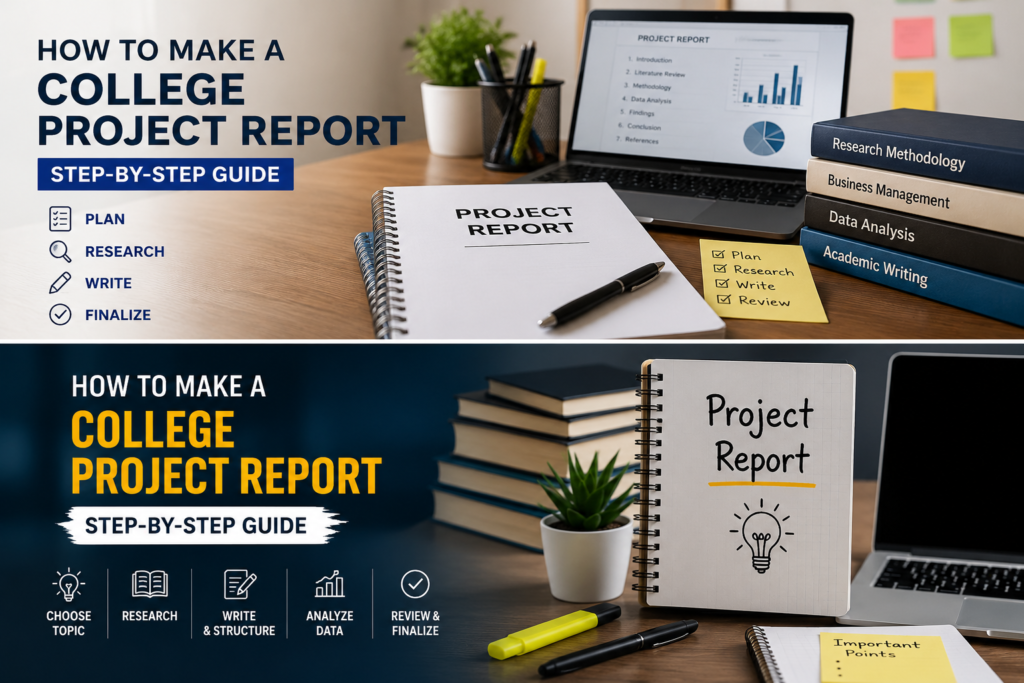
What Is a College Project Report?
A college project report is a structured document that explains the work you have done for an academic project. It typically presents the project topic, objectives, research or methodology, findings, and conclusions in an organized format.
The purpose of a project report is not merely to submit one’s work; it is also to demonstrate how to approach the subject matter—determining what information to gather, what to explore, and what specific insights to acquire. A good report should be clear, well-organized, easy to read, and based on reliable sources.
A good report should be clear, organized, easy to read, and supported by reliable sources.
What to Do Before Writing Your Project Report
Before opening MS Word and starting to type, spend some time preparing your project. This can make the writing and formatting process much easier.
The main purpose of a project report is to clearly explain how the project was completed and what was learned or discovered during the process.
A good college project report should be:
- Clear and well-organized
- Easy to read
- Based on reliable information
- Properly formatted
- Supported by appropriate sources
Choose Your Project Topic
Start by clearly understanding your project topic. If your college has already assigned a topic, identify the exact requirements. If you can choose your own topic, select something that is relevant to your course and has enough reliable information available.
Make sure you understand the scope of the topic before beginning your research.
Understand Your College Guidelines
Different colleges, universities, and departments may have different requirements for project reports.
Check whether your college has provided instructions about:
Report format
Page size
Font and font size
Margins
Number of pages
Referencing style
Cover page
Certificate
Submission requirements
Your college’s official instructions should take priority over any general format mentioned in this guide.
Collect Information and Sources
Collect the information you need before writing the main content. Use reliable sources such as textbooks, academic material, official websites, research papers, and other trustworthy sources relevant to your topic.
Keep a record of the sources you use so that you can add them to the references section later.
Plan Your Report Structure
Before writing, create a basic structure for your report.
For example:
Cover Page
Certificate
Acknowledgement
Abstract
Table of Contents
Introduction
Objectives
Research Methodology
Findings or Analysis
Conclusion
References
Appendix, if required
The exact order can vary depending on your college or project requirements.
College Project Report Format
A college project report normally contains several sections. Each section has a specific purpose and helps make the report easier to understand.
Cover Page
The cover page is the first page of your project report. It usually contains important information about the project and the student.
Depending on your college requirements, it may include:
Project title
Student name
Roll number
Course or program
College or university name
Department
Academic year
Name of the guide or supervisor
Use the exact information and format required by your institution.
Certificate
A certificate is commonly included in academic project reports to confirm that the project was completed as part of the required academic work.
The format and wording of the certificate can vary between colleges. If your college provides a certificate format, use that format instead of creating your own.
Acknowledgement
The acknowledgement section is used to thank people who helped you complete the project.
You may acknowledge your project guide, teachers, department, institution, classmates, or others who provided meaningful academic support.
Keep the section short and professional.
Abstract or Executive Summary
An abstract provides a brief overview of the entire project.
It can mention:
The topic
Purpose of the project
Method used
Main findings
Overall conclusion
Write the abstract after completing the main report so that it accurately reflects the project.
Table of Contents
The table of contents lists the main sections or chapters of your report along with their page numbers.
If you are using MS Word, you can create an automatic table of contents by applying Word’s built-in heading styles to your headings.
Introduction
The introduction gives the reader background information about your project topic.
It should explain:
What the topic is
Why the topic is relevant
What the project focuses on
What the report will cover
Avoid making the introduction unnecessarily long. Give the reader enough context to understand the rest of the report.
Objectives
The objectives explain what you want to achieve through the project.
For example, depending on your topic, objectives could include:
Understanding a particular concept
Studying a specific problem
Analyzing collected information
Identifying important factors
Examining possible solutions
Make each objective clear and directly related to your project.
Research Methodology
The methodology explains how you conducted the project or collected the information.
Depending on your project, this section may include:
Research approach
Data sources
Surveys or questionnaires
Interviews
Secondary research
Sample information
Data analysis methods
Only include methods that you actually used in your project.
Findings or Analysis
This section presents what you discovered during your research.
You can use:
Tables
Charts
Graphs
Survey results
Calculations
Observations
Explain what the results mean instead of simply adding tables or numbers without context.
Conclusion
The conclusion summarizes the major findings of your project.
It should connect back to the objectives and explain what you learned from the project.
Do not introduce completely new information in the conclusion unless it is necessary to explain the final result.
References
The references section lists the sources you used while preparing your project.
Depending on your college requirements, you may need to follow a particular referencing style.
Make sure the sources listed in your references are actually used in your project.
Appendix
An appendix contains supporting information that is useful but may make the main report too long or difficult to read.
Examples include:
Questionnaire
Additional tables
Extra charts
Supporting documents
Additional data
Include an appendix only when it adds value to the report or is required by your institution.
How to Format a Project Report in MS Word
MS Word is commonly used to create and format academic reports. However, there is no single formatting rule that applies to every college.
Always follow your college’s official formatting instructions first.
Page Size
Check your college guidelines for the required page size. If no specific requirement is provided, use a standard document size commonly accepted by your institution.
Margins
Use consistent margins throughout the document. If your college provides specific margin measurements, follow those instructions.
Font and Font Size
Choose a professional and readable font and maintain consistency throughout the report.
If your college specifies a font and size, use those requirements rather than choosing your own.
Line Spacing
Use consistent line spacing throughout the main content. The appropriate spacing depends on your institution’s requirements.
Headings
Use headings to divide the report into clear sections.
For example:
Heading1:Main article/report title
Heading2:Major sections
Heading3:Subsections
In MS Word, using built-in heading styles also makes it easier to create an automatic table of contents.
Page Numbers
Add page numbers consistently throughout the report according to your college’s requirements.
Check whether your institution wants page numbers on the cover page or prefers numbering to begin from a later section.
Common Mistakes Students Should Avoid
A report can contain good research but still look unprofessional if basic mistakes are not checked.
Copying Information Without Understanding It
Do not simply copy information from websites or other sources. Read the material, understand it, and write it in your own words while properly acknowledging sources where required.
Ignoring College Guidelines
A general format cannot replace your college’s instructions. Always check the official requirements before final submission.
Inconsistent Formatting
Avoid changing fonts, heading styles, spacing, or alignment randomly throughout the report.
Keep the formatting consistent.
Missing References
If you use information from external sources, maintain proper records of those sources and follow the required citation/reference style.
Spelling and Grammar Errors
Read the complete report before submission. Check spelling, grammar, punctuation, headings, page numbers, tables, and references.
Leaving Formatting Until the Last Minute
Do not wait until the day of submission to format the entire report. Apply consistent formatting while preparing the document and perform a final check before submitting.
Final College Project Report Checklist
Before submitting your project report, check the following:
☐ Project title is correct
☐ Student details are correct
☐ Cover page follows college requirements
☐ Certificate is included if required
☐ Acknowledgement is included
☐ Abstract is complete
☐ Table of contents is updated
☐ Introduction is clear
☐ Objectives are included
☐ Methodology is explained
☐ Findings or analysis are presented
☐ Conclusion matches the project
☐ References are included
☐ Appendix is added if required
☐ Page numbers are correct
☐ Headings and formatting are consistent
☐ Spelling and grammar have been checked
☐ College guidelines have been checked
Frequently Asked Questions
What is the format of a college project report?
A typical project report may include a cover page, certificate, acknowledgement, abstract, table of contents, introduction, objectives, methodology, findings or analysis, conclusion, references, and appendix. However, the exact format depends on the college, course, and project requirements.
How many pages should a college project report be?
There is no universal page limit for every college project. The required length depends on your institution, course, topic, and project guidelines. Follow the page requirements provided by your college or department.
Can I make a college project report in MS Word?
Yes. MS Word can be used to write, format, add page numbers, create headings, insert tables and charts, and generate a table of contents.
What should be included in a project report?
A project report generally includes information about the project topic, objectives, methodology, research or analysis, findings, conclusion, and sources. Additional sections such as a certificate, acknowledgement, abstract, or appendix may also be required.
Is there one standard format for all colleges?
No. Colleges and departments can have different requirements for project reports. Always check your institution’s official guidelines before finalizing the report.
Conclusion
Creating a college project report becomes much easier when you plan the structure before starting and follow a consistent format throughout the document. Focus on presenting your research clearly, explaining your methodology and findings, and supporting your work with appropriate sources.
Before submitting the final report, compare it with your college’s guidelines and check the formatting, references, spelling, grammar, and page numbers. A well-organized report is easier to read and presents your academic work more professionally.